

如何使用大麻的数字比例:分步指南

Lisa Thompson
Storage & Preservation Specialist
如何使用大麻的数字比例:分步指南
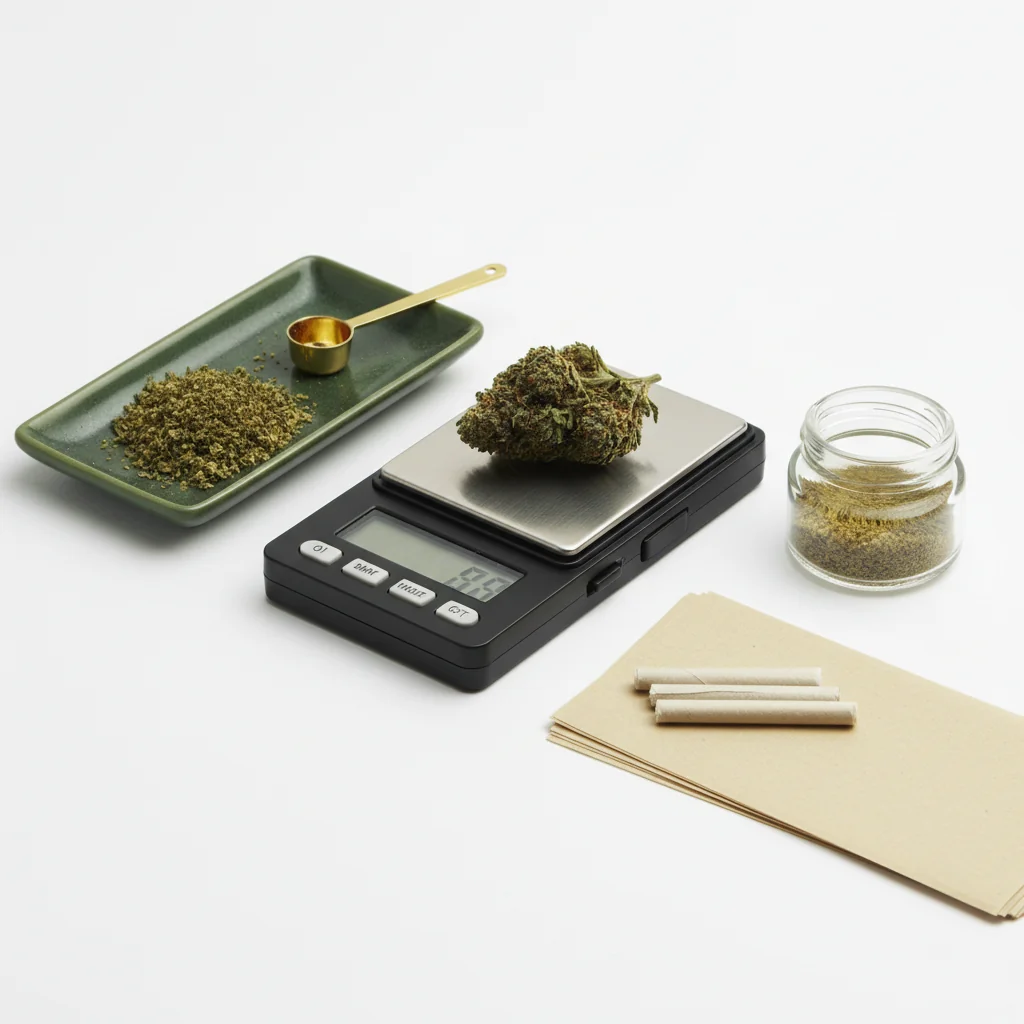
使用数字比例看起来很简单,但适当的技术会在准确性方面产生真正的差异。 无论您是在验证购买、跟踪使用情况还是对食用品进行剂量,本指南都涵盖了您需要了解的所有内容。
快速回答
将您的秤放在稳定、平坦的表面上。 打开它并等待 0.0g 如果使用容器,将其放在秤上并按“皮重”将其归零。 轻轻地加入大麻,等待读数稳定(2-3秒),然后记录重量。 保持电池新鲜并每月校准。
一步一步:称量大麻
为了了解数字尺度的称重传感器技术,欧米茄工程提供测量传感器的技术资源。
第一步:设置你的规模
找到正确的表面:
- 平坦和水平(未倾斜)
- 稳定(不摇摆的桌子)
- 远离通风口/风扇
- 远离振动
- 硬表面优先(不是地毯)
表面为何重要:秤通过压力传感器测量重量。 不稳定或倾斜的表面给出了不准确的读数。 即使是轻微的振动也会导致测量结果。
第二步:开机并稳定
打开您的比例:
- 按下电源按钮
- 等待显示显示0.0g
- 给它5-10秒以完全稳定
- 不要急于这一步
如果显示不显示零:
- 检查表面是水平
- 确保没有任何东西是触摸平台
- 按 TARE 重置
- 如果仍然关闭,请检查电池
第三步:使用皮重功能
皮尔做什么:将秤上当前的内容归零,因此您可以只称量内容。
皮质的使用方法:
1。 按比例放置空容器
2 。 等待体重稳定
3. 按下去皮按钮
4。 显示屏应显示 0.0g
5. 容器重量现在被排除在外
常见容器:
- 小盘子或托盘
- 硅胶容器
- 纸(毫克级)
- 秤的附带托盘
第四步:添加大麻
正确的技术:
- 将大麻轻轻地放在平台/容器上
- 不要丢弃它(导致不准确的尖峰)
- 将重量集中在平台上
- 完全移开你的手
- 不要靠在桌子上
花:
- 分解较大的小块以获得准确的读数
- 可以包括或排除茎(您的偏好)
- 确保所有材料都在平台上
用于浓缩物:
- 使用小容器(总是先皮重)
- 手轻拍工具,不是手指
- 毫克级推荐
第五步:读数
等待稳定性:
- 显示将短暂波动
- 等待 2-3 秒以稳定读取
- 大多数尺度表示稳定的读数
- 波动期间不要阅读
了解显示:
- 0.1g = 十分之一克
- 1.0g = 一克
- 3.5g = 第八
- 7.0g = 季度
如果读数波动:
- 表面可能不稳定
- 影响规模的气流
- 材料可能正在移动
- 等待更长的稳定性
了解规模读数
普通权重
读取不同的精度
0.1g 比例(最常见):
- 3.5G第八次显示为“3.5”
- 看不到3.51g和3.54g的区别
- 足够准确的花
0.01g 规模:
- 更多小数位:“3.52”
- 较少量更好
- 对浓缩物有用
0.001g 比例(毫克):
- 显示“3.521”
- 精准剂量必不可少
- 休闲花称重的过分
常见错误
导致不准确的错误
不稳定的表面:
- 摆台
- 柔软的表面(床,地毯)
- 洗衣机/烘干机附近
环境因素:
- 附近的空调通风口
- 风扇在规模上吹
- 音乐/交通的振动
用户错误:
- 稳定前读数
- 不使用皮重
- 靠在表面上
- 阅读过程中触摸音阶
设备问题:
- 低电池
- 未校准的规模
- 肮脏的平台
- 超能力
如何修复不一致的读数
1. 更换电池(最常见的原因)
2.移动到更稳定的表面
3。 消除气流
4.清洁平台
5.校准尺度
6. 读数之间等待更长的时间
有效地使用 tare 功能
何时使用去皮
始终使用 tare :
- 使用任何容器
- 分别称量多个项目
- 进行精确测量
皮质的工作原理:
- 按 TARE → 刻度 记住当前重量
- 从所有未来读数中减去重量
- 关闭缩放时重置
先进的皮重技术
称量装入罐中:
1。 将罐子放在规模上
2. 按 TARE(显示 0.0g)
3。 添加大麻
4。 阅读仅显示大麻重量
测量具体量:
1。 按比例放置容器
2. 皮重至零
3。 加入大麻直到达到所需的重量
4。 轻松击中精确目标
多个独立项目:
1。 称重第一项,记录重量
2. 按 TARE(零点)
3。 添加第二项
4。 新阅读只是第二项
5. 根据需要重复
准确测量的提示
最佳做法
称重前:
- 新鲜电池
- 清洁平台
- 稳定表面
- 室温标度
称重时:
- 不要急于
- 与容器一起使用去皮
- 轻轻放置物品
- 等待稳定阅读
称重后:
- 关闭以节省电池电量
- 存放在保护盒中
- 远离潮湿
准确性最重要的时候
高风险称重:
- 验证药房采购
- 食用药用量
- 测量浓缩物
- 精确跟踪使用情况
对于这些情况:
- 使用新校准的秤
- 采取多次测量
- 平均结果
- 使用适当的准确度量表
单位转换
交换机单元
大多数比例提供多个单元:
- 克(G) - 最常见
- 盎司(盎司) - 英制
- 谷物(GN) - 很少使用
- 克拉 (CT) - 珠宝模式
切换:反复按下模式或单位按钮,直到显示所需的单位。
推荐:坚持克数以保持一致性。 大麻的通用量是以克为单位,即使以“八分之一”或“盎司”的形式出售。
转换参考
- 1盎司= 28.35克
- 1克= 0.035盎司
- 第八(3.5g)= 0.123 oz
- 季度(7g)= 0.247 oz
疑难
比例无法打开
- 更换电池
- 检查电池方向
- 清洁电池触点
- 如果可用,请尝试交流适配器
显示屏显示“ERR”或“OL”
- 重量超过容量
- 立即减轻重量
- 平台超载
不一致的读数
- 低电量(最常见)
- 不稳定的表面
- 需要校准
- 影响规模的草稿
不会零/皮重
- 超重
- 平台脏
- 规模需要重置
- 让它先稳定下来
总结
正确使用数字比例可归结为:
1. 稳定表面- 水平,坚固,没有振动
2. 让它稳定- 耐心准确读数
3. 使用皮- 对容器称重至关重要
4. 新鲜电池- 问题的主要原因
5. 温柔的位置- 不要丢弃或猛击物品
掌握这些基础知识,您的量表每次都会提供准确、一致的读数。
本指南是用于教育目的。 始终遵守有关大麻的当地法律。
Step 1:
Step 2:
Step 3:
Step 4:
Step 5:
Frequently Asked Questions
去皮按钮将当前重量归零,使您无需包含容器即可称量内容。 将容器放在秤上,按 Tare 重置为 0.0g,然后添加大麻以获得准确的净重。
不一致的读数通常意味着表面不稳定、电池电量不足、气流影响标尺或放置物品过快。 确保表面稳定,更换电池,并在记录前让读数稳定。
不,每次使用前都需要校准。 校准时间是新的,每月定期使用,丢弃后,或者读数不准确。 过度校准实际上会引入错误。
Related Guides

Best Scales for Cannabis: Complete Buying Guide
Find the perfect scale for weighing cannabis. Compare pocket scales, milligram scales, and kitchen scales with recommendations for different needs and budgets.

How to Calibrate a Digital Scale: Step-by-Step Guide
Learn how to properly calibrate your digital scale for accurate cannabis measurements. Step-by-step instructions for calibration weights, DIY methods, and troubleshooting.

Understanding Cannabis Measurements: Grams to Ounces Explained
# Understanding Cannabis Measurements: Grams to Ounces Explained ## Introduction Navigating the world of cannabis can be a bit daunting, especially when it comes to understanding the various measurements used to quantify it. Whether you're a seasoned consumer or new to the scene, knowing the standa