

如何使用大麻數位秤:逐步指南

Lisa Thompson
Storage & Preservation Specialist
如何使用大麻數位秤:逐步指南
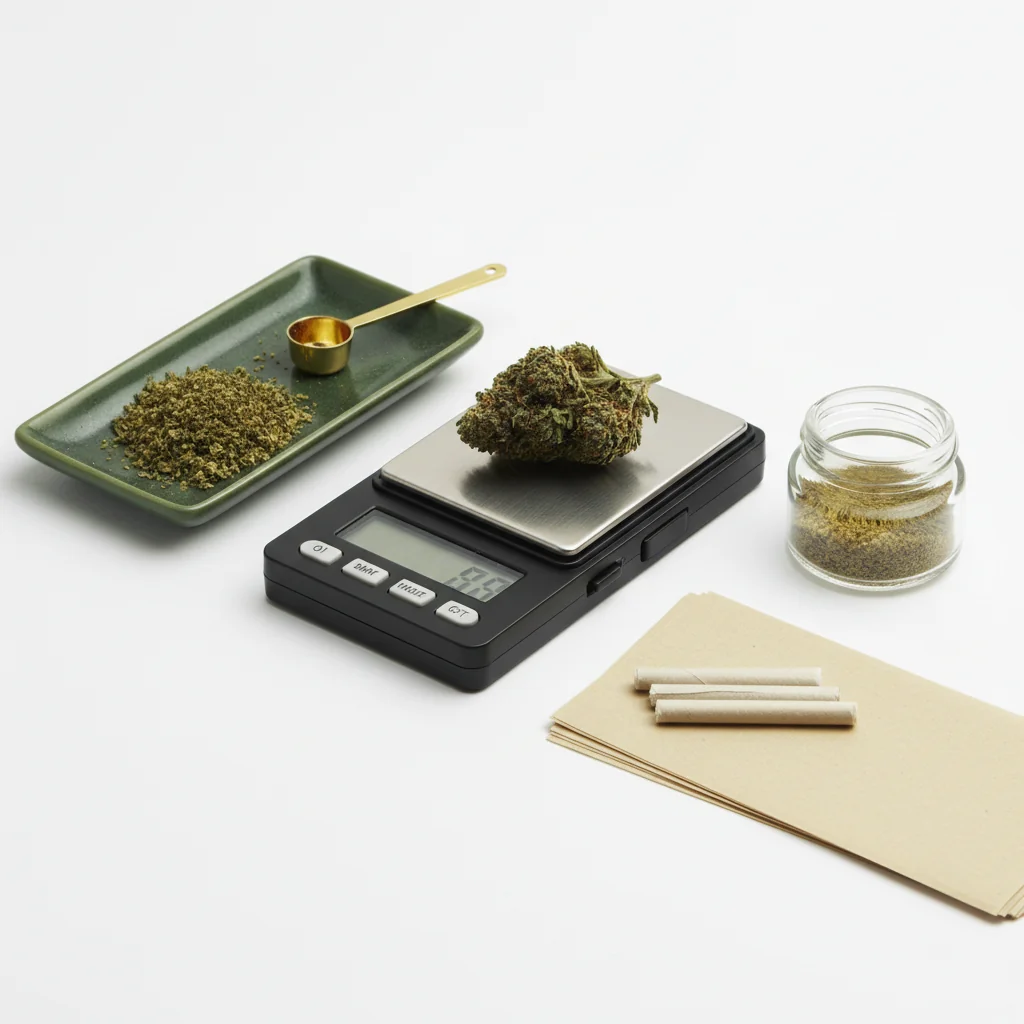
使用數位刻度似乎很簡單,但正確的技術會真正改變準確性。 無論您是驗證購買、追蹤使用情況還是對食品的劑量,本指南都涵蓋了您需要知道的所有內容。
快速回答
將您的秤放在穩定的水平表面上。 打開它並等待 0.0g。如果使用容器,將其放在秤上並按“Tare”將其歸零。 輕輕地加入大麻,等待讀數穩定(2-3 秒),然後記錄重量。 保持電池新鮮和每月校準。
一步一步:稱量大麻
用於了解數位尺度中的稱重感測器技術,歐米茄工程提供測量感測器的技術資源。
步驟 1:設定您的比例尺
找到正確的表面:
- 平整平整(未傾斜)
- 穩定(不是搖擺不定的表)
- 遠離通風口/風扇
- 遠離振動
- 硬表面優先(不是地毯)
為什麼表面很重要:秤透過壓力感測器測量重量。 不穩定或傾斜的表面會給出不準確的讀數。 即使是輕微的振動也會影響測量。
步驟 2:開機並穩定
打開你的比例:
- 按電源按鈕
- 等待顯示顯示 0.0g
- 給它 5-10 秒的時間來完全穩定
- 不要急於這一步
如果顯示未顯示零:
- 檢查表面是否水平
- 確保沒有觸摸平台
- 按 Tare 重置
- 如果還沒關,請檢查電池
步驟 3:使用 TARE 功能
稗子做什麼:將目前規模上的任何內容歸零,因此您可以只權衡內容物。
如何使用 TARE:
1. 將空容器放在秤上
2 。 等待重量穩定
3.按下看網
4. 顯示應該顯示 0.0g
5. 容器重量現在不包括在內
常見容器:
- 小盤子或托盤
- 矽膠容器
- 紙(用於毫克秤)
- 比例的托盤
步驟 4:添加您的大麻
正確的技術:
- 將大麻輕輕放在平台/容器上
- 不要丟棄它(導致不準確的尖峰)
- 將重量放在平台上
- 完全移除你的手
- 不要靠在桌子上
對於花:
- 打破較大的塊以準確閱讀
- 莖可以包括或排除(您的偏好)
- 確保所有材料都在平台上
對於濃縮物:
- 使用小容器(總是先看)
- 處理輕拍工具,不是手指
- 推薦毫克比例
步驟 5:閱讀重量
等待穩定:
- 顯示將短暫波動
- 等待 2-3 秒才能穩定閱讀
- 大多數的量表表示閱讀穩定
- 波動期間不要閱讀
了解顯示:
- 0.1g = 十分之一克
- 1.0g = 一克
- 3.5g = 第八
- 7.0g = 季度
如果閱讀波動:
- 表面可能不穩定
- 氣流影響尺度
- 材料可能正在改變
- 等待更長的時間穩定
理解比例讀數
共同重量
閱讀不同的精度
0.1g 比例(最常見):
- 3.5G 第八場演出為「3.5」
- 看不到 3.51g 和 3.54g 的差別
- 夠準確的花
0.01g 比例:
- 小數點: “3.52”
- 更少量
- 對濃縮物有用
0.001g 比例(毫克):
- 顯示“3.521”
- 精確劑量必不可少
- 休閒花稱重的矯枉過正
常見的錯誤
導致不準確的錯誤
表面不穩定:
- 搖搖晃晃的桌子
- 柔軟的表面(床、地毯)
- 靠近洗衣機/烘乾機
環境因素:
- 附近的空調通風口
- 風扇在秤上吹
- 音樂/流量的振動
使用者錯誤:
- 穩定前閱讀
- 不使用看板
- 靠在表面
- 閱讀時的觸摸秤
設備問題:
- 低電源
- 標尺
- 骯髒的平台
- 超能力
如何修復不一致的讀數
1. 更換電池(最常見的原因)
2. 移動到更穩定的表面
3. 消除氣流
4. 清潔平台
5. 校準刻度
6. 閱讀之間等待更長的時間
有效運用皮重函數
何時使用看板
總是使用看網:
- 使用任何容器
- 分別稱重多項
- 進行精確的測量
稗子的工作原理:
- 按 看 圖 → 比例 記住目前的重量
- 從所有未來讀數中減去該權重
- 關閉縮放時重置
先進的稗子
稱重裝入罐子:
1. 將罐子放在秤上
2. 按 Tare(顯示 0.0g)
3. 添加大麻
4. 閱讀顯示大麻重量
測量具體量:
1. 將容器放在比例上
2. 看零
3. 加入大麻直到達到預期的重量
4. 容易達到精確的目標
多個單獨的項目:
1. 稱重第一道,創紀錄的重量
2. 按 Tare (Zeros Out)
3. 新增第二個項目
4. 新讀數只是第二題
5. 視需要重複
準確測量的技巧
最佳實踐
稱重前:
- 新電池
- 清潔平台
- 穩定的表面
- 室溫尺
稱重時:
- 不要急
- 將看網與容器一起使用
- 輕輕放置物品
- 等待穩定閱讀
稱重後:
- 關閉以節省電池
- 裝在保護殼中
- 遠離潮濕
當準確性最重要時
高風險稱重:
- 驗證藥局購買
- 食物劑量
- 測量濃縮物
- 精確追蹤使用
對於這些情況:
- 使用新校準的刻度
- 進行多次測量
- 平均結果
- 使用適當的精度尺度
單位轉換
交換機
大多數秤提供多個單位:
- 克 (G) - 最常見
- 盎司(盎司) - 帝國
- 穀物 (GN) - 很少使用
- 克拉 (CT) - 珠寶模式
切換:重複按模式或單位按鈕,直到顯示所需的單元。
推薦:堅持使用克以保持一致性。 大麻以克為單位普遍衡量,即使以“八分之一”或“盎司”出售。
轉換參考
- 1 盎司 = 28.35 克
- 1 克 = 0.035 盎司
- 第八 (3.5 克) = 0.123 盎司
- 四分之一 (7g) = 0.247 盎司
故障排除
比例不會開
- 更換電池
- 檢查電池方向
- 清潔電池觸點
- 如果有的話,請嘗試交流適配器
顯示幕顯示“錯誤”或“OL”
- 重量超過容量
- 立即卸下重量
- 平台超載
不一致的讀數
- 電池電量低(最常見)
- 表面不穩定
- 需要校準
- 影響比例草稿
不會歸零/看
- 睇
- 平台髒
- 比例需要重置
- 先讓它穩定下來
總結
正確使用數位刻度歸結為:
1. 穩定的表面- 水平,堅固,沒有振動
2. 讓它穩定下來- 耐心等待準確的讀數
3. 使用去皮- 容器稱重至關重要
4. 新電池- 問題的主要原因
5. 柔情- 不要掉落或猛擊物品
掌握這些基礎知識,您的量表每次都會給出準確、一致的讀數。
本指南用於教育目的。 始終遵守有關大麻的當地法律。
Step 1:
Step 2:
Step 3:
Step 4:
Step 5:
Frequently Asked Questions
皮重按鈕可將目前的重量歸零,讓您在不包括容器的情況下稱重內容物。 將您的容器放在秤上,按 Tare 重置為 0.0g,然後添加您的大麻以獲得準確的淨重。
不一致的讀數通常意味著不穩定的表面、電池電量低、影響秤的氣流或太快放置物品。 確保穩定的表面,更換電池,讓讀數穩定下來。
不,每次使用前進行校準是不必要的。 刻度為新時校準,每月定期使用,放下後,或讀數是否不準確。 過度校準實際上會引入錯誤。
Related Guides

Best Scales for Cannabis: Complete Buying Guide
Find the perfect scale for weighing cannabis. Compare pocket scales, milligram scales, and kitchen scales with recommendations for different needs and budgets.

How to Calibrate a Digital Scale: Step-by-Step Guide
Learn how to properly calibrate your digital scale for accurate cannabis measurements. Step-by-step instructions for calibration weights, DIY methods, and troubleshooting.

Understanding Cannabis Measurements: Grams to Ounces Explained
# Understanding Cannabis Measurements: Grams to Ounces Explained ## Introduction Navigating the world of cannabis can be a bit daunting, especially when it comes to understanding the various measurements used to quantify it. Whether you're a seasoned consumer or new to the scene, knowing the standa