

วิธีการใช้เครื่องชั่งดิจิตอลสำหรับกัญชา: คู่มือทีละขั้นตอน

Lisa Thompson
Storage & Preservation Specialist
วิธีการใช้เครื่องชั่งดิจิตอลสำหรับกัญชา: คู่มือทีละขั้นตอน
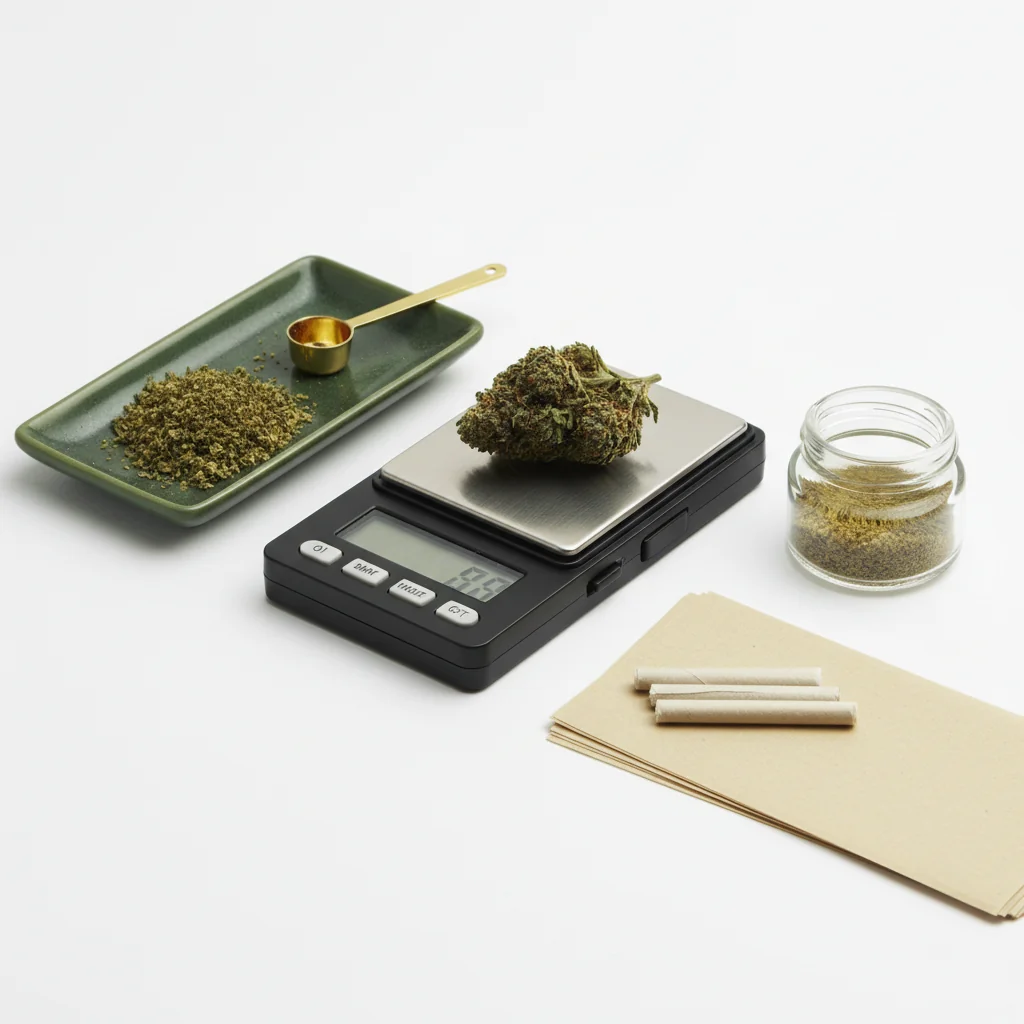
การใช้เครื่องชั่งดิจิตอลดูเหมือนจะตรงไปตรงมา แต่เทคนิคที่ถูกต้องทำให้ความแม่นยำแตกต่างออกไปอย่างแท้จริง ไม่ว่าคุณจะตรวจสอบการซื้อ ติดตามการใช้งาน หรือการกำหนดขนาดสำหรับอาหารที่มีส่วนผสมจากกัญชา คู่มือนี้ครอบคลุมทุกสิ่งที่คุณต้องรู้
คำตอบสั้นๆ
วางเครื่องชั่งของคุณบนพื้นผิวที่เสถียรและระดับ เปิดเครื่องและรอให้แสดง 0.0g หากใช้ภาชนะ ให้วางมันบนเครื่องชั่งและกด "ตั้งศูนย์" เพื่อทำให้เป็น 0.0g เพิ่มกัญชาของคุณอย่างเบาๆ รอให้การอ่านค่าคงที่ (2-3 วินาที) จากนั้นบันทึกน้ำหนัก เก็บแบตเตอรี่ให้สดใหม่และสอบเทียบทุกเดือน
ทีละขั้นตอน: การชั่งน้ำหนักกัญชา
เพื่อความเข้าใจเกี่ยวกับเทคโนโลยีเซลล์โหลดในเครื่องชั่งดิจิตอล, Omega Engineering มีทรัพยากรทางเทคนิคเกี่ยวกับเซ็นเซอร์การวัด
ขั้นตอนที่ 1: ตั้งค่าเครื่องชั่งของคุณ
ค้นหาพื้นผิวที่เหมาะสม:
- เรียบและระดับ (ไม่เอียง)
- เสถียร (ไม่โยกเยก)
- ห่างจากช่องระบายอากาศ/พัดลม
- ห่างจากการสั่นสะเทือน
- พื้นผิวแข็งเป็นที่ต้องการ (ไม่ใช่พรม)
ทำไมพื้นผิวถึงสำคัญ: เครื่องชั่งวัดน้ำหนักผ่านเซ็นเซอร์ความดัน พื้นผิวที่ไม่เสถียรหรือเอียงจะให้การอ่านค่าที่ไม่ถูกต้อง แม้แต่การสั่นสะเทือนเล็กน้อยก็สามารถทำให้การวัดผิดพลาดได้
ขั้นตอนที่ 2: เปิดเครื่องและทำให้เสถียร
เปิดเครื่องชั่งของคุณ:
- กดปุ่มเปิด
- รอให้หน้าจอแสดง 0.0g
- ให้เวลา 5-10 วินาทีเพื่อให้มั่นคงเต็มที่
- อย่าร้อนใจในขั้นตอนนี้
ถ้าหน้าจอไม่แสดงเลขศูนย์:
- ตรวจสอบให้แน่ใจว่าพื้นผิวเรียบ
- ตรวจสอบว่าไม่มีอะไรสัมผัสกับแพลตฟอร์ม
- กดปุ่ม TARE เพื่อตั้งค่าใหม่
- ถ้ายังไม่ถูกต้อง ให้ตรวจสอบแบตเตอรี่
ขั้นตอนที่ 3: ใช้ฟังก์ชัน Tare
Tare ทำหน้าที่: ทำให้เป็นศูนย์สิ่งที่อยู่บนตาชั่งในขณะนั้น เพื่อให้คุณสามารถชั่งเฉพาะเนื้อหาได้
วิธีการใช้ Tare:
1. วางภาชนะเปล่าบนตาชั่ง
2. รอให้น้ำหนักมั่นคง
3. กดปุ่ม TARE
4. หน้าจอควรแสดง 0.0g
5. น้ำหนักของภาชนะจะถูกยกเว้น
ภาชนะทั่วไป:
- จานหรือถาดขนาดเล็ก
- ภาชนะซิลิโคน
- กระดาษ (สำหรับตาชั่งมิลลิกรัม)
- ถาดที่รวมอยู่ในตาชั่ง
ขั้นตอนที่ 4: เพิ่มกัญชาของคุณ
เทคนิคที่ถูกต้อง:
- วางกัญชาอย่างเบา ๆ บนแพลตฟอร์ม/ภาชนะ
- อย่าทิ้งมัน (ทำให้เกิดการอ่านค่าที่ไม่ถูกต้อง)
- จัดให้น้ำหนักอยู่ตรงกลางแพลตฟอร์ม
- เอามือของคุณออกให้หมด
- อย่าพิงโต๊ะ
สำหรับดอกไม้:
- ทำให้ชิ้นใหญ่แตกออกเพื่อการอ่านค่าที่ถูกต้อง
- ก้านสามารถรวมอยู่หรือไม่รวมก็ได้ (ตามที่คุณต้องการ)
- ตรวจสอบให้แน่ใจว่าวัสดุทั้งหมดอยู่บนแพลตฟอร์ม
สำหรับสารสกัด:
- ใช้ภาชนะขนาดเล็ก (ต้องตั้งค่า Tare ก่อนเสมอ)
- จัดการด้วย เครื่องมือดาบ, ไม่ใช่ด้วยนิ้ว
- แนะนำให้ใช้ตาชั่งมิลลิกรัม
ขั้นตอนที่ 5: อ่านน้ำหนัก
รอให้มั่นคง:
- การแสดงผลจะมีการเปลี่ยนแปลงชั่วคราว
- รอ 2-3 วินาทีเพื่อให้การอ่านมีความเสถียร
- ตาชั่งส่วนใหญ่จะแสดงการอ่านที่เสถียร
- อย่าอ่านในช่วงที่มีการเปลี่ยนแปลง
เข้าใจการแสดงผล:
- 0.1g = หนึ่งในสิบกรัม
- 1.0g = หนึ่งกรัม
- 3.5g = หนึ่งในแปด
- 7.0g = หนึ่งในสี่
ถ้าการอ่านมีการเปลี่ยนแปลง:
- พื้นผิวอาจไม่เสถียร
- กระแสลมมีผลต่อการชั่งน้ำหนัก
- วัสดุอาจมีการเคลื่อนที่
- รอนานขึ้นเพื่อความเสถียร
เข้าใจการอ่านตาชั่ง
น้ำหนักทั่วไป
การอ่านความแม่นยำที่แตกต่างกัน
ตาชั่ง 0.1g (ทั่วไปที่สุด):
- 3.5g หนึ่งในแปดแสดงเป็น "3.5"
- ไม่สามารถเห็นความแตกต่างระหว่าง 3.51g และ 3.54g
- แม่นยำพอสำหรับดอกไม้
ตาชั่ง 0.01g:
- มีจุดทศนิยมมากขึ้น: "3.52"
- ดีกว่าสำหรับปริมาณที่น้อยกว่า
- มีประโยชน์สำหรับสารสกัด
ตาชั่ง 0.001g (มิลลิกรัม):
- แสดง "3.521"
- จำเป็นสำหรับการชั่งน้ำหนักที่แม่นยำ
- เกินความจำเป็นสำหรับการชั่งดอกไม้ทั่วไป
ข้อผิดพลาดทั่วไป
ข้อผิดพลาดที่ทำให้เกิดความไม่แม่นยำ
พื้นผิวที่ไม่เสถียร:
- โต๊ะที่ไม่มั่นคง
- พื้นผิวที่นุ่ม (เตียง, พรม)
- ใกล้เครื่องซักผ้า/เครื่องอบผ้า
ปัจจัยด้านสิ่งแวดล้อม:
- ช่องระบายอากาศของเครื่องปรับอากาศใกล้เคียง
- พัดลมเป่าที่ตาชั่ง
- การสั่นสะเทือนจากเสียงเพลง/การจราจร
ข้อผิดพลาดของผู้ใช้:
- อ่านค่าก่อนที่จะเสถียร
- ไม่ใช้ฟังก์ชันทาร์
- เอนตัวบนพื้นผิว
- สัมผัสตาชั่งระหว่างการอ่าน
ปัญหาเกี่ยวกับอุปกรณ์:
- แบตเตอรี่หมด
- ตาชั่งที่ไม่ได้ปรับเทียบ
- แพลตฟอร์มสกปรก
- เกินความจุ
วิธีแก้ไขการอ่านค่าที่ไม่สอดคล้องกัน
1. เปลี่ยนแบตเตอรี่ (สาเหตุที่พบบ่อยที่สุด)
2. ย้ายไปยังพื้นผิวที่มั่นคงกว่า
3. กำจัดกระแสลม
4. ทำความสะอาดแพลตฟอร์ม
5. ปรับเทียบตาชั่ง
6. รอนานขึ้นระหว่างการอ่าน
การใช้ฟังก์ชันทาร์อย่างมีประสิทธิภาพ
เมื่อใดควรใช้ทาร์
ควรใช้ทาร์เสมอเมื่อ:
- ใช้ภาชนะใด ๆ
- ชั่งน้ำหนักหลายรายการแยกกัน
- ทำการวัดที่แม่นยำ
ทาร์ทำงานอย่างไร:
- กดทาร์ → ตาชั่งจะจดจำน้ำหนักปัจจุบัน
- ลบค่าน้ำหนักนั้นออกจากการอ่านในอนาคตทั้งหมด
- รีเซ็ตเมื่อคุณปิดเครื่องชั่ง
เทคนิคการตั้งน้ำหนักขั้นสูง
การชั่งน้ำหนักในขวด:
1. วางขวดบนเครื่องชั่ง
2. กดตั้งน้ำหนัก (แสดง 0.0g)
3. เพิ่มกัญชา
4. การอ่านจะแสดงเฉพาะน้ำหนักของกัญชา
การชั่งน้ำหนักปริมาณที่เฉพาะเจาะจง:
1. วางภาชนะบนเครื่องชั่ง
2. ตั้งน้ำหนักเป็นศูนย์
3. เพิ่มกัญชาจนกว่าจะถึงน้ำหนักที่ต้องการ
4. ง่ายต่อการทำให้ถึงเป้าหมายที่แน่นอน
หลายรายการแยกกัน:
1. ชั่งน้ำหนักรายการแรก บันทึกน้ำหนัก
2. กดตั้งน้ำหนัก (ทำให้เป็นศูนย์)
3. เพิ่มรายการที่สอง
4. การอ่านใหม่จะแสดงเฉพาะรายการที่สอง
5. ทำซ้ำตามต้องการ
เคล็ดลับสำหรับการวัดที่แม่นยำ
แนวทางปฏิบัติที่ดีที่สุด
ก่อนการชั่งน้ำหนัก:
- แบตเตอรี่ใหม่
- ทำความสะอาดพื้นผิว
- พื้นผิวที่มั่นคง
- เครื่องชั่งที่อุณหภูมิห้อง
ระหว่างการชั่งน้ำหนัก:
- อย่าร้อนใจ
- ใช้การตั้งน้ำหนักกับภาชนะ
- วางรายการอย่างเบาๆ
- รอการอ่านที่เสถียร
หลังการชั่งน้ำหนัก:
- ปิดเครื่องเพื่อประหยัดแบตเตอรี่
- เก็บในเคสป้องกัน
- เก็บให้ห่างจากความชื้น
เมื่อความแม่นยำมีความสำคัญที่สุด
การชั่งน้ำหนักที่มีความเสี่ยงสูง:
- การตรวจสอบการซื้อจากร้านขายยา
- การกำหนดขนาดสำหรับของกิน
- การชั่งน้ำหนักสารสกัด
- ติดตามการใช้งานอย่างแม่นยำ
สำหรับสถานการณ์เหล่านี้:
- ใช้เครื่องชั่งที่ปรับเทียบใหม่
- ทำการวัดหลายครั้ง
- เฉลี่ยผลลัพธ์
- ใช้เครื่องชั่งที่มีความแม่นยำเหมาะสม
การแปลงหน่วย
การเปลี่ยนหน่วย
เครื่องชั่งส่วนใหญ่มีหลายหน่วย:
- กรัม (g) - ที่ใช้กันทั่วไปที่สุด
- ออนซ์ (oz) - ระบบอิมพีเรียล
- เกรน (gn) - ใช้น้อยมาก
- กะรัต (ct) - โหมดเครื่องประดับ
ในการเปลี่ยน: กดปุ่ม MODE หรือ UNIT ซ้ำจนกว่าจะมีหน่วยที่ต้องการแสดงขึ้นมา
คำแนะนำ: ใช้กรัมเพื่อความสม่ำเสมอ กัญชาจะถูกวัดเป็นกรัมเสมอ แม้จะขายเป็น "หนึ่งในแปด" หรือ "ออนซ์"
ข้อมูลอ้างอิงการแปลง
- 1 ออนซ์ = 28.35 กรัม
- 1 กรัม = 0.035 ออนซ์
- หนึ่งในแปด (3.5g) = 0.123 oz
- หนึ่งในสี่ (7g) = 0.247 oz
การแก้ปัญหา
เครื่องชั่งไม่เปิด
- เปลี่ยนแบตเตอรี่
- ตรวจสอบทิศทางของแบตเตอรี่
- ทำความสะอาดขั้วแบตเตอรี่
- ลองใช้แอดอปเตอร์ AC หากมี
หน้าจอแสดง "ERR" หรือ "OL"
- น้ำหนักเกินความจุ
- นำออกน้ำหนักทันที
- แพลตฟอร์มเกินพิกัด
การอ่านค่าที่ไม่สอดคล้องกัน
- แบตเตอรี่ต่ำ (พบได้บ่อยที่สุด)
- พื้นผิวไม่เสถียร
- ต้องการการปรับเทียบ
- ลมกระทบเครื่องชั่ง
ไม่สามารถตั้งศูนย์/ตั้งค่า Tare ได้
- เกินความจุของ Tare
- แพลตฟอร์มสกปรก
- ต้องรีเซ็ตเครื่องชั่ง
- ให้มันตั้งตัวก่อน
สรุป
การใช้เครื่องชั่งดิจิตอลอย่างถูกต้องขึ้นอยู่กับ:
1. พื้นผิวที่มั่นคง - ระดับ, แข็งแรง, ไม่มีการสั่นสะเทือน
2. ให้มันตั้งตัว - ต้องมีความอดทนเพื่อให้ได้การอ่านที่แม่นยำ
3. ใช้การตั้งค่าเป็นศูนย์ - จำเป็นสำหรับการชั่งน้ำหนักภาชนะ
4. แบตเตอรี่ใหม่ - สาเหตุหลักของปัญหา
5. วางอย่างเบาๆ - อย่าทิ้งหรือทุบของลง
ทำความเข้าใจพื้นฐานเหล่านี้และเครื่องชั่งของคุณจะให้การอ่านที่แม่นยำและสม่ำเสมอทุกครั้ง.
คู่มือนี้มีไว้เพื่อการศึกษาเท่านั้น โปรดปฏิบัติตามกฎหมายท้องถิ่นเกี่ยวกับกัญชาเสมอ.
Step 1:
Step 2:
Step 3:
Step 4:
Step 5:
Frequently Asked Questions
ปุ่มตั้งศูนย์จะทำให้เครื่องชั่งแสดงน้ำหนักเป็น 0.0g ช่วยให้คุณสามารถชั่งน้ำหนักเนื้อหาภายในโดยไม่รวมภาชนะ วางภาชนะของคุณบนเครื่องชั่ง กดปุ่มตั้งศูนย์เพื่อรีเซ็ตเป็น 0.0g จากนั้นเพิ่มกัญชาของคุณเพื่อให้ได้น้ำหนักสุทธิที่ถูกต้อง
การอ่านค่าที่ไม่สอดคล้องกันมักหมายถึงพื้นผิวที่ไม่เสถียร แบตเตอรี่ต่ำ กระแสลมที่ส่งผลต่อเครื่องชั่ง หรือการวางสิ่งของเร็วเกินไป ตรวจสอบให้แน่ใจว่ามีพื้นผิวที่เสถียร เปลี่ยนแบตเตอรี่ และรอให้การอ่านค่าคงที่ก่อนบันทึก
ไม่จำเป็นต้องสอบเทียบก่อนการใช้งานแต่ละครั้ง สอบเทียบเมื่อเครื่องชั่งใหม่ ใช้สอบเทียบทุกเดือนเมื่อใช้งานปกติ หลังจากที่ทำหล่น หรือหากการอ่านค่าดูไม่ถูกต้อง การสอบเทียบมากเกินไปอาจทำให้เกิดข้อผิดพลาดได้
Related Guides

Best Scales for Cannabis: Complete Buying Guide
Find the perfect scale for weighing cannabis. Compare pocket scales, milligram scales, and kitchen scales with recommendations for different needs and budgets.

How to Calibrate a Digital Scale: Step-by-Step Guide
Learn how to properly calibrate your digital scale for accurate cannabis measurements. Step-by-step instructions for calibration weights, DIY methods, and troubleshooting.

Understanding Cannabis Measurements: Grams to Ounces Explained
# Understanding Cannabis Measurements: Grams to Ounces Explained ## Introduction Navigating the world of cannabis can be a bit daunting, especially when it comes to understanding the various measurements used to quantify it. Whether you're a seasoned consumer or new to the scene, knowing the standa