

Hoe een digitale weegschaal voor cannabis te gebruiken: Stapsgewijze gids

Lisa Thompson
Storage & Preservation Specialist
Hoe een digitale weegschaal voor cannabis te gebruiken: Stapsgewijze gids
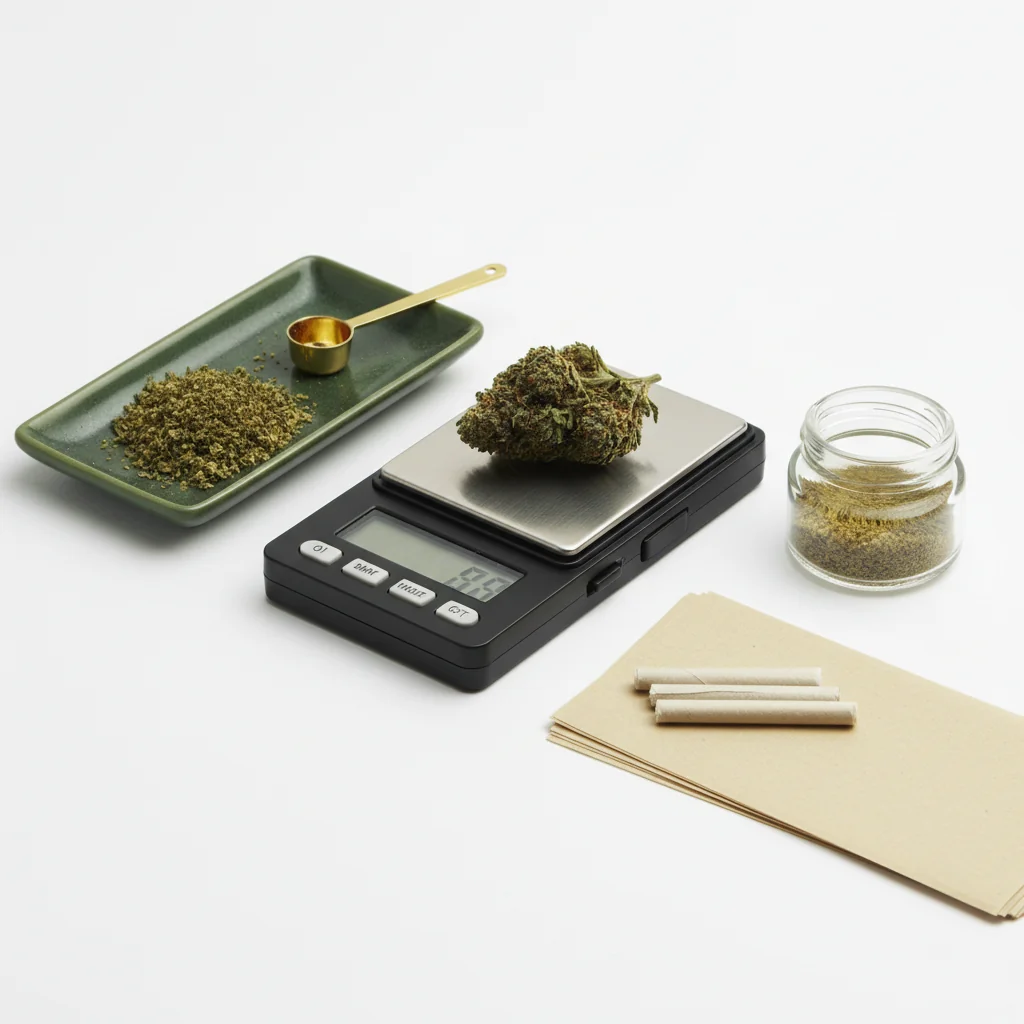
Het gebruik van een digitale weegschaal lijkt eenvoudig, maar de juiste techniek maakt echt een verschil in nauwkeurigheid. Of je nu een aankoop verifieert, het gebruik bijhoudt of doses voor eetwaren berekent, deze gids behandelt alles wat je moet weten.
Snelle Antwoord
Plaats je weegschaal op een stabiele, vlakke ondergrond. Zet hem aan en wacht op 0,0g. Als je een container gebruikt, plaats deze dan op de weegschaal en druk op "tarra" om deze op nul te zetten. Voeg je cannabis voorzichtig toe, wacht tot de meting stabiliseert (2-3 seconden), en noteer dan het gewicht. Houd de batterijen vers en kalibreer maandelijks.
Stapsgewijs: Cannabis wegen
Voor het begrijpen van load cell-technologie in digitale weegschalen, Omega Engineering biedt technische bronnen over meetsensoren.
Stap 1: Stel je weegschaal in
Vind de juiste ondergrond:
- Vlak en niveau (niet gekanteld)
- Stabiel (geen wiebelige tafel)
- Ver weg van luchtventilatie/ventilatoren
- Ver weg van trillingen
- Harde ondergrond heeft de voorkeur (geen tapijt)
Waarom de ondergrond belangrijk is: Weegschalen meten gewicht via druksensoren. Onstabiele of gekantelde oppervlakken geven onnauwkeurige metingen. Zelfs lichte trillingen kunnen de metingen verstoren.
Stap 2: Zet aan en stabiliseer
Zet je weegschaal aan:
- Druk op de aan/uit-knop
- Wacht tot het display 0,0g toont
- Geef het 5-10 seconden om volledig te stabiliseren
- Haast je niet in deze stap
Als het display geen nul toont:
- Controleer of het oppervlak vlak is
- Zorg ervoor dat er niets de platform aanraakt
- Druk op tare om te resetten
- Als het nog steeds niet klopt, controleer de batterijen
Stap 3: Gebruik de Tare-functie
Wat tare doet: Stelt alles wat momenteel op de weegschaal staat op nul, zodat je alleen de inhoud kunt wegen.
Hoe tare te gebruiken:
1. Plaats een lege container op de weegschaal
2. Wacht tot het gewicht stabiliseert
3. Druk op de TARE-knop
4. Het display zou 0.0g moeten tonen
5. Het gewicht van de container is nu uitgesloten
Veelvoorkomende containers:
- Klein schaaltje of dienblad
- Siliconen container
- Papier (voor milligramwegers)
- Dienblad dat bij de weegschaal is inbegrepen
Stap 4: Voeg je cannabis toe
Juiste techniek:
- Plaats de cannabis voorzichtig op het platform/de container
- Laat het niet vallen (veroorzaakt onnauwkeurige piek)
- Centreer het gewicht op het platform
- Verwijder je handen volledig
- Leun niet op de tafel
Voor bloemen:
- Breek grotere nugs voor een nauwkeurige meting
- Stelen kunnen inbegrepen of uitgesloten worden (jouw voorkeur)
- Zorg ervoor dat al het materiaal op het platform ligt
Voor concentraten:
- Gebruik een kleine container (altijd eerst tare)
- Hanteer met dab-tool, niet met vingers
- Milligramweger aanbevolen
Stap 5: Lees het gewicht
Wacht op stabiliteit:
- Display zal kort fluctueren
- Wacht 2-3 seconden voor een stabiele meting
- De meeste weegschalen geven een stabiele meting aan
- Lees niet tijdens fluctuatie
Begrijpen van de display:
- 0.1g = een tiende gram
- 1.0g = één gram
- 3.5g = een achtste
- 7.0g = een kwart
Als de meting fluctueert:
- Oppervlak kan onstabiel zijn
- Luchtstroom beïnvloedt de schaal
- Materiaal kan verschuiven
- Wacht langer voor stabiliteit
Begrijpen van weegschalmessingen
Veelvoorkomende gewichten
Metingen met verschillende nauwkeurigheden
0.1g schaal (meest gebruikelijk):
- 3.5g een achtste toont als "3.5"
- Kan het verschil tussen 3.51g en 3.54g niet zien
- Nauwkeurig genoeg voor bloemen
0.01g schaal:
- Meer decimalen: "3.52"
- Beter voor kleinere hoeveelheden
- Nuttig voor concentraten
0.001g schaal (milligram):
- Toont "3.521"
- Essentieel voor nauwkeurige dosering
- Overbodig voor casual weging van bloemen
Veelvoorkomende fouten
Fouten die onnauwkeurigheid veroorzaken
Onstabiele ondergrond:
- Wankele tafel
- Zachte ondergrond (bed, tapijt)
- Dichtbij wasmachine/wasdroger
Omgevingsfactoren:
- Luchtventilator van de airconditioning in de buurt
- Ventilator die op de weegschaal blaast
- Trillingen van muziek/ verkeer
Gebruikersfouten:
- Aflezen voordat het stabiel is
- Tare niet gebruiken
- Leunen op het oppervlak
- De weegschaal aanraken tijdens het aflezen
Problemen met de apparatuur:
- Laag batterijvermogen
- Niet-gekalibreerde weegschaal
- Vuil platform
- Overschrijden van de capaciteit
Hoe inconsistentie in metingen te verhelpen
1. Vervang de batterijen (meest voorkomende oorzaak)
2. Verplaats naar een stabieler oppervlak
3. Elimineer luchtstromen
4. Maak het platform schoon
5. Kalibreer de weegschaal
6. Wacht langer tussen metingen
De Tare-functie effectief gebruiken
Wanneer Tare te gebruiken
Gebruik altijd tare wanneer:
- Je een container gebruikt
- Je meerdere items afzonderlijk weegt
- Je nauwkeurige metingen maakt
Hoe tare werkt:
- Druk op tare → weegschaal onthoudt het huidige gewicht
- Trek dat gewicht af van alle toekomstige metingen
- Reset wanneer je de weegschaal uitschakelt
Geavanceerde Tare Technieken
Wegen in een pot:
1. Plaats de pot op de weegschaal
2. Druk op tare (toont 0.0g)
3. Voeg cannabis toe
4. De meting toont alleen het gewicht van de cannabis
Een specifieke hoeveelheid afmeten:
1. Plaats de container op de weegschaal
2. Tare naar nul
3. Voeg cannabis toe totdat je het gewenste gewicht bereikt
4. Gemakkelijk om exacte doelen te bereiken
Meerdere aparte items:
1. Weeg het eerste item, noteer het gewicht
2. Druk op tare (zet op nul)
3. Voeg het tweede item toe
4. Nieuwe meting is alleen het tweede item
5. Herhaal indien nodig
Tips voor Nauwkeurige Metingen
Beste Praktijken
Voor het wegen:
- Verse batterijen
- Schone platform
- Stabiele ondergrond
- Weegschaal op kamertemperatuur
Tijdens het wegen:
- Haast je niet
- Gebruik tare met containers
- Plaats items voorzichtig
- Wacht op een stabiele meting
Na het wegen:
- Zet uit om batterij te besparen
- Bewaar in een beschermende hoes
- Houd uit de buurt van vocht
Wanneer Nauwkeurigheid het Belangrijkst is
Wegen met hoge inzet:
- Verifiëren van aankopen bij de apotheek
- Doserings voor eetwaren
- Meten van concentraten
- Gebruik nauwkeurig volgen
Voor deze situaties:
- Gebruik een vers gekalibreerde weegschaal
- Neem meerdere metingen
- Gemiddelde de resultaten
- Gebruik een weegschaal met de juiste nauwkeurigheid
Eenheid Conversie
Eenheden Wisselen
De meeste weegschalen bieden meerdere eenheden aan:
- Grammen (g) - meest gebruikelijk
- Unces (oz) - imperiaal
- Granen (gn) - zelden gebruikt
- Karaats (ct) - juwelenmodus
Om te wisselen: Druk herhaaldelijk op de MODE of UNIT-knop totdat de gewenste eenheid wordt weergegeven.
Aanbeveling: Blijf bij grammen voor consistentie. Cannabis wordt universeel gemeten in grammen, zelfs wanneer het wordt verkocht als "achtsten" of "unces."
Conversie Referentie
- 1 ounce = 28,35 gram
- 1 gram = 0,035 ounces
- Achtste (3,5g) = 0,123 oz
- Kwart (7g) = 0,247 oz
Probleemoplossing
Weegschaal gaat niet aan
- Vervang de batterijen
- Controleer de batterijoriëntatie
- Maak de batterijcontacten schoon
- Probeer de AC-adapter als deze beschikbaar is
Display toont "ERR" of "OL"
- Gewicht overschrijdt capaciteit
- Verwijder het gewicht onmiddellijk
- Platform overbelast
Inconsistente metingen
- Laag batterij (meest voorkomend)
- Onstabiele ondergrond
- Kalibratie nodig
- Tocht beïnvloedt de weegschaal
Geeft geen nul/tare aan
- Overschrijding van de tare-capaciteit
- Platform vuil
- Schaal moet worden gereset
- Laat het eerst stabiliseren
Samenvatting
Een digitale schaal correct gebruiken komt neer op:
1. Stabiele ondergrond - vlak, stevig, geen trillingen
2. Laat het stabiliseren - geduld voor nauwkeurige metingen
3. Gebruik tare - essentieel voor het wegen van containers
4. Nieuwe batterijen - belangrijkste oorzaak van problemen
5. Zachte plaatsing - laat geen voorwerpen vallen of slaan
Beheers deze basisprincipes en je schaal zal elke keer nauwkeurige, consistente metingen geven.
Deze gids is voor educatieve doeleinden. Volg altijd de lokale wetten met betrekking tot cannabis.
Step 1:
Step 2:
Step 3:
Step 4:
Step 5:
Frequently Asked Questions
De taraknop zet het huidige gewicht op nul, zodat je de inhoud kunt wegen zonder de container mee te tellen. Plaats je container op de weegschaal, druk op tarra om terug te zetten naar 0,0g, en voeg dan je cannabis toe voor een nauwkeurig nettogewicht.
Inconsistente metingen betekenen meestal een onstabiele ondergrond, lege batterijen, luchtstromen die de weegschaal beïnvloeden, of het te snel plaatsen van voorwerpen. Zorg voor een stabiele ondergrond, vervang de batterijen en laat de metingen stabiliseren voordat je ze vastlegt.
Nee, kalibreren voor elk gebruik is niet nodig. Kalibreer wanneer de weegschaal nieuw is, maandelijks bij regelmatig gebruik, na het laten vallen, of als de metingen onnauwkeurig lijken. Te veel kalibreren kan eigenlijk fouten introduceren.
Related Guides

Best Scales for Cannabis: Complete Buying Guide
Find the perfect scale for weighing cannabis. Compare pocket scales, milligram scales, and kitchen scales with recommendations for different needs and budgets.

How to Calibrate a Digital Scale: Step-by-Step Guide
Learn how to properly calibrate your digital scale for accurate cannabis measurements. Step-by-step instructions for calibration weights, DIY methods, and troubleshooting.

Understanding Cannabis Measurements: Grams to Ounces Explained
# Understanding Cannabis Measurements: Grams to Ounces Explained ## Introduction Navigating the world of cannabis can be a bit daunting, especially when it comes to understanding the various measurements used to quantify it. Whether you're a seasoned consumer or new to the scene, knowing the standa