

कैनाबिस के लिए डिजिटल स्केल का उपयोग कैसे करें: चरण-दर-चरण गाइड

Lisa Thompson
Storage & Preservation Specialist
कैनाबिस के लिए डिजिटल स्केल का उपयोग कैसे करें: चरण-दर-चरण गाइड
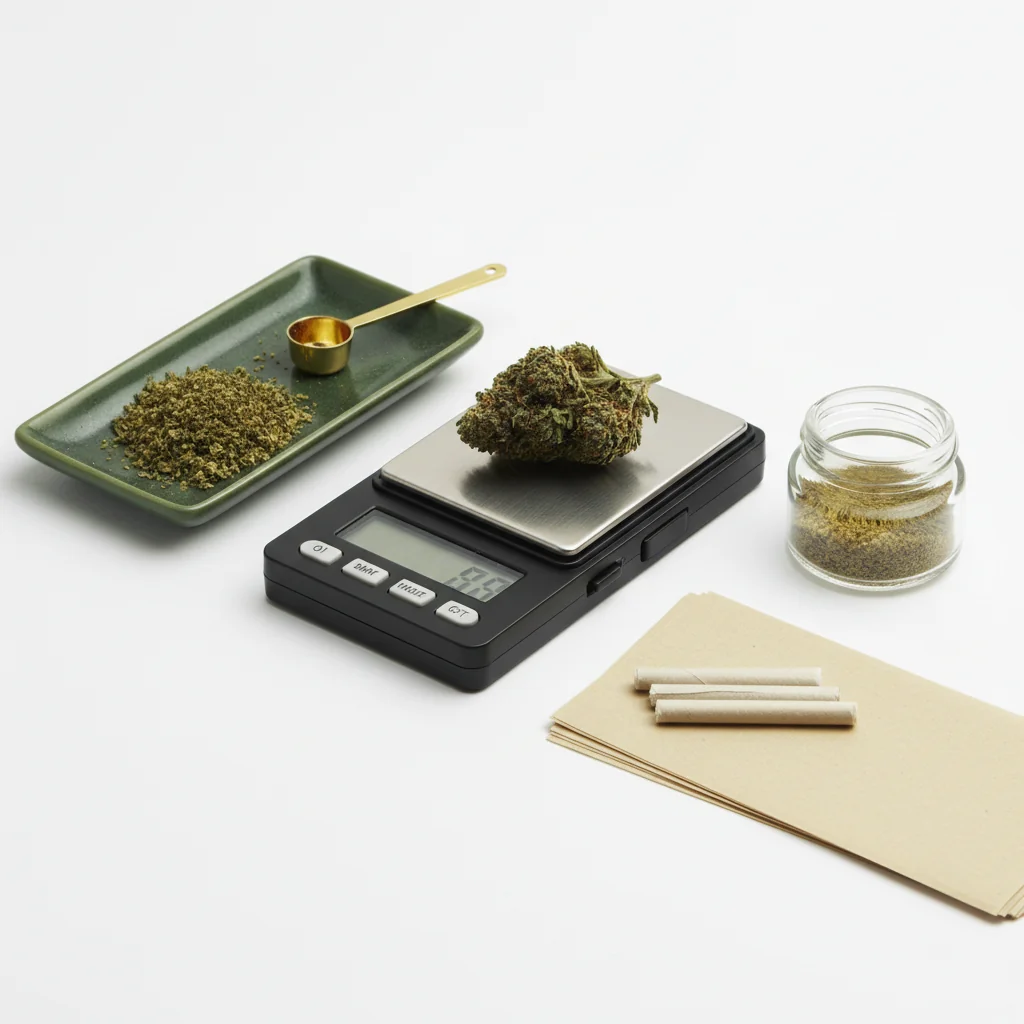
डिजिटल स्केल का उपयोग करना सीधा लगता है, लेकिन सही तकनीक सटीकता में वास्तविक अंतर लाती है। चाहे आप खरीदारी की पुष्टि कर रहे हों, उपयोग को ट्रैक कर रहे हों, या खाद्य पदार्थों के लिए डोज़िंग कर रहे हों, यह गाइड आपको जानने के लिए आवश्यक सभी जानकारी प्रदान करता है।
त्वरित उत्तर
अपनी स्केल को एक स्थिर, समतल सतह पर रखें। इसे चालू करें और 0.0g के लिए प्रतीक्षा करें। यदि आप एक कंटेनर का उपयोग कर रहे हैं, तो इसे स्केल पर रखें और इसे शून्य करने के लिए "टेयर" दबाएं। अपने कैनाबिस को धीरे से जोड़ें, रीडिंग को स्थिर होने के लिए प्रतीक्षा करें (2-3 सेकंड), फिर वजन रिकॉर्ड करें। बैटरी को ताजा रखें और मासिक रूप से कैलिब्रेट करें।
चरण-दर-चरण: कैनाबिस को तौलना
डिजिटल स्केल में लोड सेल तकनीक को समझने के लिए, ओमेगा इंजीनियरिंग मापने वाले सेंसर पर तकनीकी संसाधन प्रदान करता है।
चरण 1: अपनी स्केल सेट करें
सही सतह खोजें:
- समतल और स्तर (झुका हुआ नहीं)
- स्थिर (झूलता हुआ टेबल नहीं)
- हवा के वेंट/पंखों से दूर
- कंपन से दूर
- कठोर सतह पसंदीदा (गलीचा नहीं)
सतह का महत्व: स्केल वजन को दबाव सेंसर के माध्यम से मापते हैं। अस्थिर या झुकी हुई सतहें गलत रीडिंग देती हैं। यहां तक कि हल्की कंपन भी माप को प्रभावित कर सकती है।
चरण 2: पावर ऑन करें और स्थिर करें
अपनी स्केल चालू करें:
- पावर बटन दबाएं
- डिस्प्ले पर 0.0g दिखाने के लिए प्रतीक्षा करें
- इसे पूरी तरह से स्थिर होने के लिए 5-10 सेकंड दें
- इस चरण में जल्दी न करें
यदि डिस्प्ले शून्य नहीं दिखाता है:
- सतह की समतलता जांचें
- सुनिश्चित करें कि कुछ भी प्लेटफॉर्म को छू नहीं रहा है
- रीसेट करने के लिए टेयर दबाएं
- यदि अभी भी गलत है, तो बैटरी जांचें
चरण 3: टेयर फ़ंक्शन का उपयोग करें
टेयर क्या करता है: जो कुछ भी वर्तमान में तराजू पर है, उसे शून्य कर देता है, ताकि आप केवल सामग्री का वजन कर सकें।
टेयर का उपयोग कैसे करें:
1. खाली कंटेनर को तराजू पर रखें
2. वजन स्थिर होने का इंतज़ार करें
3. टेयर बटन दबाएं
4. डिस्प्ले को 0.0g दिखाना चाहिए
5. कंटेनर का वजन अब बाहर किया गया है
सामान्य कंटेनर:
- छोटी थाली या ट्रे
- सिलिकॉन कंटेनर
- कागज (मिलिग्राम तराजू के लिए)
- तराजू की शामिल ट्रे
चरण 4: अपनी कैनबिस जोड़ें
सही तकनीक:
- कैनबिस को प्लेटफॉर्म/कंटेनर पर धीरे से रखें
- इसे न गिराएं (गलत स्पाइक का कारण बनता है)
- वजन को प्लेटफॉर्म के केंद्र में रखें
- अपने हाथों को पूरी तरह से हटा लें
- टेबल पर झुकें नहीं
फूल के लिए:
- सटीक पढ़ाई के लिए बड़े नग्स को तोड़ें
- डंठल शामिल या बाहर किए जा सकते हैं (आपकी पसंद)
- सुनिश्चित करें कि सभी सामग्री प्लेटफॉर्म पर है
केंद्रित के लिए:
- एक छोटे कंटेनर का उपयोग करें (पहले हमेशा टेयर करें)
- हाथ से संभालें डैब टूल, उंगलियों से नहीं
- मिलिग्राम तराजू की सिफारिश की जाती है
चरण 5: वजन पढ़ें
स्थिरता के लिए प्रतीक्षा करें:
- डिस्प्ले थोड़ी देर के लिए बदलता रहेगा
- स्थिर रीडिंग के लिए 2-3 सेकंड प्रतीक्षा करें
- अधिकतर तराजू स्थिर रीडिंग दिखाते हैं
- बदलाव के दौरान रीडिंग न करें
डिस्प्ले को समझना:
- 0.1g = एक-दशमलव ग्राम
- 1.0g = एक ग्राम
- 3.5g = आठवां
- 7.0g = चौथाई
यदि रीडिंग बदलती है:
- सतह अस्थिर हो सकती है
- हवा का प्रवाह तराजू को प्रभावित कर रहा है
- सामग्री स्थानांतरित हो सकती है
- स्थिरता के लिए अधिक समय प्रतीक्षा करें
तराजू रीडिंग को समझना
सामान्य वजन
विभिन्न सटीकताओं की रीडिंग
0.1g तराजू (सबसे सामान्य):
- 3.5g आठवां "3.5" के रूप में दिखाता है
- 3.51g और 3.54g के बीच का अंतर नहीं देख सकते
- फूल के लिए पर्याप्त सटीक
0.01g तराजू:
- अधिक दशमलव स्थान: "3.52"
- छोटी मात्रा के लिए बेहतर
- केंद्रित पदार्थों के लिए उपयोगी
0.001g तराजू (मिलिग्राम):
- दिखाता है "3.521"
- सटीक डोजिंग के लिए आवश्यक
- आम फूलों के वजन के लिए अधिक
सामान्य गलतियाँ
गलतियाँ जो असंगति का कारण बनती हैं
अस्थिर सतह:
- झूलता हुआ टेबल
- नरम सतह (बिस्तर, कालीन)
- धुलाई मशीन/ड्रायर के पास
पर्यावरणीय कारक:
- एयर कंडीशनिंग वेंट के पास
- पंखा तराजू पर हवा फेंक रहा है
- संगीत/यातायात से कंपन
उपयोगकर्ता की गलती:
- स्थिर होने से पहले पढ़ना
- तारे का उपयोग नहीं करना
- सतह पर झुकना
- पढ़ाई के दौरान तराजू को छूना
उपकरण की समस्याएँ:
- कम बैटरी
- अ-calibrated तराजू
- गंदा प्लेटफॉर्म
- क्षमता से अधिक
असंगत रीडिंग को कैसे ठीक करें
1. बैटरी बदलें (सबसे सामान्य कारण)
2. अधिक स्थिर सतह पर ले जाएँ
3. हवा के प्रवाह को समाप्त करें
4. प्लेटफॉर्म को साफ करें
5. तराजू को कैलिब्रेट करें
6. रीडिंग के बीच अधिक समय तक प्रतीक्षा करें
तारे फ़ंक्शन का प्रभावी ढंग से उपयोग करना
तारे का उपयोग कब करें
जब भी तारे का उपयोग करें:
- किसी भी कंटेनर का उपयोग करते समय
- अलग-अलग वस्तुओं का वजन करते समय
- सटीक माप करते समय
तारा कैसे काम करता है:
- तारे पर दबाएँ → तराजू वर्तमान वजन याद रखता है
- भविष्य के सभी मापों से उस वजन को घटाता है
- जब आप तराजू बंद करते हैं तो रीसेट हो जाता है
उन्नत टेयर तकनीक
जार में वजन करना:
1. जार को तराजू पर रखें
2. टेयर दबाएं (0.0g दिखाता है)
3. कैनाबिस डालें
4. माप केवल कैनाबिस का वजन दिखाता है
विशिष्ट मात्रा मापना:
1. कंटेनर को तराजू पर रखें
2. शून्य पर टेयर करें
3. इच्छित वजन तक पहुंचने तक कैनाबिस डालें
4. सटीक लक्ष्यों को प्राप्त करना आसान है
अलग-अलग कई वस्तुएं:
1. पहले आइटम का वजन करें, वजन रिकॉर्ड करें
2. टेयर दबाएं (शून्य कर देता है)
3. दूसरे आइटम को जोड़ें
4. नया माप केवल दूसरे आइटम का है
5. आवश्यकतानुसार दोहराएं
सटीक माप के लिए सुझाव
सर्वोत्तम प्रथाएँ
वजन करने से पहले:
- ताजा बैटरी
- स्वच्छ प्लेटफॉर्म
- स्थिर सतह
- कमरे के तापमान का तराजू
वजन करते समय:
- जल्दी न करें
- कंटेनरों के साथ टेयर का उपयोग करें
- वस्तुओं को धीरे से रखें
- स्थिर माप के लिए प्रतीक्षा करें
वजन करने के बाद:
- बैटरी बचाने के लिए बंद करें
- सुरक्षात्मक केस में रखें
- नमी से दूर रखें
जब सटीकता सबसे महत्वपूर्ण होती है
उच्च-दांव वजन:
- डिस्पेंसरी खरीद की पुष्टि करना
- खाद्य पदार्थों के लिए डोजिंग
- केंद्रित पदार्थों का मापना
- उपयोग को सटीकता से ट्रैक करना
इन स्थितियों के लिए:
- ताज़ा कैलिब्रेटेड स्केल का उपयोग करें
- कई माप लें
- परिणामों का औसत निकालें
- उपयुक्त सटीकता स्केल का उपयोग करें
इकाई रूपांतरण
इकाइयाँ बदलना
अधिकांश स्केल कई इकाइयाँ प्रदान करते हैं:
- ग्राम (g) - सबसे सामान्य
- औंस (oz) - साम्राज्य
- अनाज (gn) - शायद ही कभी उपयोग किया जाता है
- कैरेट (ct) - आभूषण मोड
बदलने के लिए: MODE या UNIT बटन को बार-बार दबाएं जब तक इच्छित इकाई प्रदर्शित न हो।
सिफारिश: संगति के लिए ग्राम पर टिके रहें। कैनाबिस को सार्वभौमिक रूप से ग्राम में मापा जाता है, भले ही इसे "आठवें" या "औंस" के रूप में बेचा जाए।
रूपांतरण संदर्भ
- 1 औंस = 28.35 ग्राम
- 1 ग्राम = 0.035 औंस
- आठवां (3.5g) = 0.123 oz
- चौथाई (7g) = 0.247 oz
समस्या निवारण
स्केल चालू नहीं हो रहा है
- बैटरी बदलें
- बैटरी की दिशा जांचें
- बैटरी संपर्कों को साफ करें
- यदि उपलब्ध हो तो AC एडाप्टर का प्रयास करें
डिस्प्ले "ERR" या "OL" दिखा रहा है
- वजन क्षमता से अधिक है
- वजन को तुरंत हटा दें
- प्लेटफ़ॉर्म ओवरलोडेड
असंगत रीडिंग
- कम बैटरी (सबसे सामान्य)
- अस्थिर सतह
- कैलिब्रेशन की आवश्यकता है
- ड्राफ्ट स्केल को प्रभावित कर रहा है
ज़ीरो/टेर नहीं हो रहा है
- टेर क्षमता से अधिक
- प्लेटफ़ॉर्म गंदा
- स्केल को रीसेट करने की आवश्यकता है
- पहले इसे स्थिर होने दें
सारांश
डिजिटल स्केल का सही उपयोग इस पर निर्भर करता है:
1. स्थिर सतह - समतल, मजबूत, कोई कंपन नहीं
2. इसे स्थिर होने दें - सटीक रीडिंग के लिए धैर्य
3. टारे का उपयोग करें - कंटेनर वजन के लिए आवश्यक
4. ताजा बैटरी - समस्याओं का मुख्य कारण
5. नरम तरीके से रखें - वस्तुओं को न गिराएं या न पटकें
इन मूल बातों में महारत हासिल करें और आपका स्केल हर बार सटीक, लगातार रीडिंग देगा।
यह गाइड शैक्षिक उद्देश्यों के लिए है। हमेशा कैनाबिस से संबंधित स्थानीय कानूनों का पालन करें।
Step 1:
Step 2:
Step 3:
Step 4:
Step 5:
Frequently Asked Questions
टेयर बटन वर्तमान वजन को शून्य कर देता है, जिससे आप कंटेनर को शामिल किए बिना सामग्री को तौल सकते हैं। अपने कंटेनर को स्केल पर रखें, टेयर दबाएं ताकि यह 0.0g पर रीसेट हो जाए, फिर अपने कैनाबिस को सही नेट वजन के लिए जोड़ें।
असंगत रीडिंग आमतौर पर अस्थिर सतह, कम बैटरी, हवा के प्रवाह का स्केल पर प्रभाव, या वस्तुओं को बहुत जल्दी रखने के कारण होती है। सुनिश्चित करें कि सतह स्थिर है, बैटरी बदलें, और रिकॉर्ड करने से पहले रीडिंग को स्थिर होने दें।
नहीं, हर उपयोग से पहले कैलिब्रेट करना आवश्यक नहीं है। स्केल नए होने पर, नियमित उपयोग के साथ मासिक रूप से, इसे गिराने के बाद, या यदि रीडिंग गलत लगती है तो कैलिब्रेट करें। अधिक कैलिब्रेट करने से वास्तव में गलतियाँ हो सकती हैं।
Related Guides

Best Scales for Cannabis: Complete Buying Guide
Find the perfect scale for weighing cannabis. Compare pocket scales, milligram scales, and kitchen scales with recommendations for different needs and budgets.

How to Calibrate a Digital Scale: Step-by-Step Guide
Learn how to properly calibrate your digital scale for accurate cannabis measurements. Step-by-step instructions for calibration weights, DIY methods, and troubleshooting.

Understanding Cannabis Measurements: Grams to Ounces Explained
# Understanding Cannabis Measurements: Grams to Ounces Explained ## Introduction Navigating the world of cannabis can be a bit daunting, especially when it comes to understanding the various measurements used to quantify it. Whether you're a seasoned consumer or new to the scene, knowing the standa