

डिजिटल स्केल को कैलिब्रेट कैसे करें: स्टेप-बाय-स्टेप गाइड

Lisa Thompson
Storage & Preservation Specialist
डिजिटल स्केल को कैलिब्रेट कैसे करें: स्टेप-बाय-स्टेप गाइड
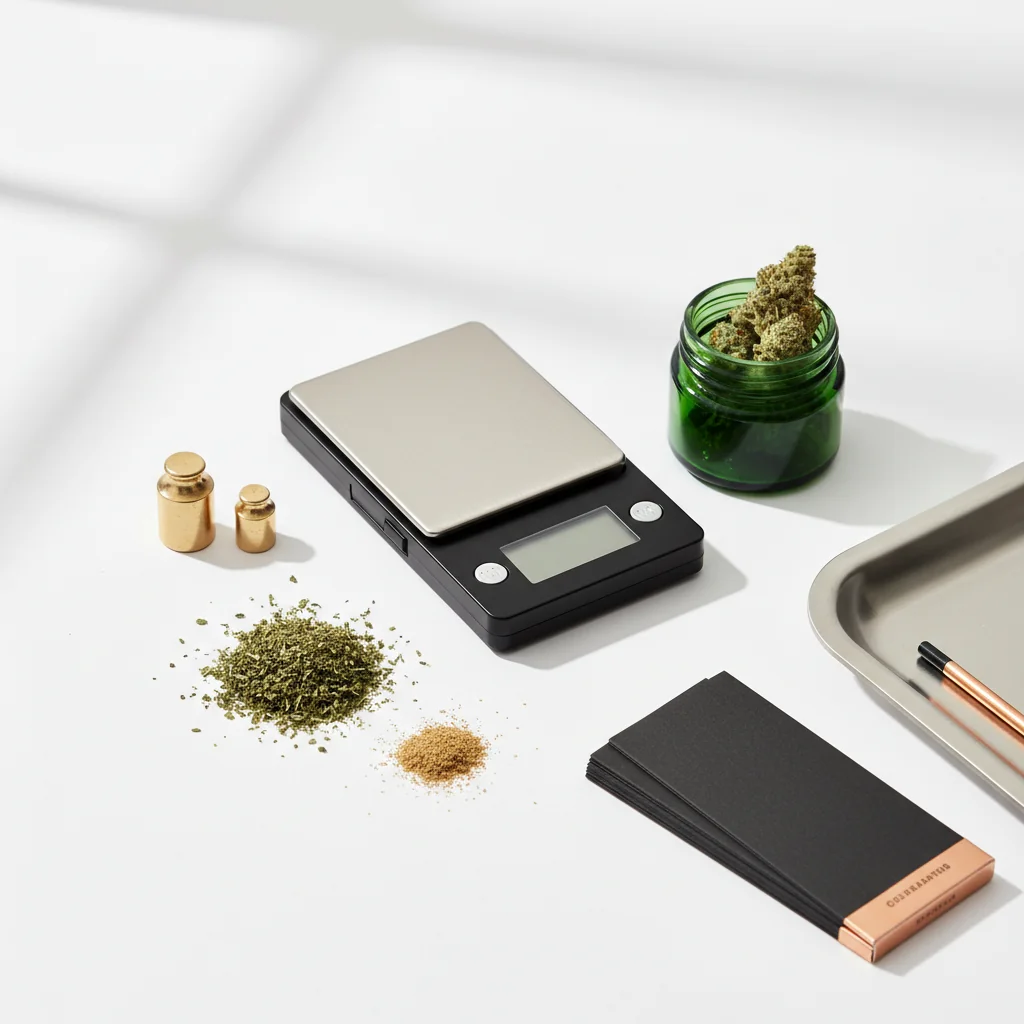
अंशांकन सुनिश्चित करता है कि आपका पैमाना सटीक रीडिंग देता है। यहां तक कि गुणवत्ता के पैमाने भी समय के साथ बहते हैं, और नए पैमाने अक्सर बिना कैलिब्रेटेड आते हैं। इस गाइड में आपके पैमाने को सटीक रखने के बारे में जानने के लिए आवश्यक सब कुछ शामिल है।
शीघ्र उत्तर
कैलिब्रेट करने के लिए: स्थिर सतह पर स्केल चालू करें, कैलिब्रेशन मोड दर्ज करें (आमतौर पर कैल बटन पकड़ें), शून्य पढ़ने की प्रतीक्षा करें, संकेत मिलने पर आवश्यक अंशांकन वजन रखें, पुष्टि की प्रतीक्षा करें। मासिक कैलिब्रेट करें, बूंदों के बाद, या जब रीडिंग बंद हो। अधिकांश पैमानों को 50 ग्राम, 100 ग्राम, या 200 ग्राम अंशांकन भार की आवश्यकता होती है।
अंशांकन क्यों मायने रखता है
मेट्रोलॉजी और कैलिब्रेशन साइंस के लिए,बीआईपीएम (अंतर्राष्ट्रीय ब्यूरो ऑफ वेट एंड मेजर्स)अंतर्राष्ट्रीय माप मानक निर्धारित करता है।
बिना अंशांकन के क्या होता है
- रीडिंग सच्चे वजन से बहती है
- समय के साथ छोटी-छोटी त्रुटियां
- खरीदारी को सही ढंग से सत्यापित नहीं कर सकता
- खुराक अविश्वसनीय हो जाता है
- सोच सकता है कि अच्छा पैमाना टूट गया है
कब कैलिब्रेट करना है
निश्चित रूप से कैलिब्रेट करें:
- नया पैमाना (बॉक्स से बाहर)
- गिरने या झकझोरने के बाद
- तापमान में बदलाव के बाद
- नियमित उपयोग के साथ मासिक
- जब रीडिंग बंद लगती है
संकेत अंशांकन आवश्यक है:
- एक ही आइटम के लिए हर बार अलग-अलग पढ़ना
- ज्ञात वजन सही ढंग से नहीं पढ़ते हैं
- प्रदर्शन ठीक से शून्य नहीं होगा
- रीडिंग लगातार उच्च या निम्न प्रतीत होती है
आपको क्या चाहिए
अंशांकन भार
शामिल वजन:
कई सटीक पैमानों में अंशांकन भार शामिल हैं। अपने बॉक्स या स्केल केस की जाँच करें।
खरीद वजन:
- ऑनलाइन उपलब्ध (सेट के लिए $ 5-15)
- हेड शॉप्स पर बेचा गया
- आभूषण आपूर्ति भंडार
सामान्य अंशांकन भार:
- 50 ग्राम
- 100 ग्राम
- 200 ग्राम
- 500 ग्राम
आपके पैमाने की आवश्यकता:
यह देखने के लिए कि आपके पैमाने को किस वजन की आवश्यकता है, मैनुअल या कैलिब्रेशन मोड डिस्प्ले की जाँच करें।
DIY विकल्प
अंशांकन चेक के रूप में अमेरिकी सिक्के:
सिक्कों का उपयोग करना:
- बड़े वजन के लिए ढेर सारे
- 10 निकल्स = 50 ग्राम
- 20 निकल = 100 ग्राम
सीमाएं:
- अंशांकन भार जितना सटीक नहीं
- पहने हुए सिक्के हल्के हो सकते हैं
- चेक के लिए अच्छा है, सटीक अंशांकन नहीं
चरण-दर-चरण अंशांकन
चरण 1: अपना पैमाना तैयार करें
सेटअप:
- सपाट, स्थिर, कठोर सतह पर रखें
- कालीन, मेज़पोश से बचें
- एयर वेंट और ड्राफ्ट से दूर
- कमरे का तापमान वातावरण
पावर ऑन:
- स्केल चालू करें
- इसे गर्म होने दें (30 सेकंड)
- प्रदर्शन 0.0g दिखाना चाहिए
- सुनिश्चित करें कि कुछ भी मंच को नहीं छूता है
चरण 2: अंशांकन मोड दर्ज करें
सामान्य तरीके:
- कैल बटन को तब तक दबाए रखें जब तक कि "कैल" प्रदर्शित न हो जाए
- 3-5 सेकंड के लिए मोड बटन दबाए रखें
- एक साथ तारे + मोड दबाएं
- पेपरक्लिप के साथ हिडन बटन दबाएं
अपने मैनुअल से परामर्श करेंसटीक प्रक्रिया के लिए - मॉडल द्वारा भिन्न होता है।
आप क्या देखेंगे:
- प्रदर्शन पर "कैल"
- चमकती संख्या (आवश्यक वजन)
- "0.0" शून्य अंशांकन की प्रतीक्षा में
चरण 3: शून्य अंशांकन
अधिकांश अंशांकन का पहला चरण:
- प्रदर्शन 0.0 या इसी तरह दिखाता है
- सुनिश्चित करें कि प्लेटफॉर्म खाली है
- स्केल को बिल्कुल भी न छुएं
- शून्य बिंदु की पुष्टि करने के लिए बटन दबाएं
क्या हो रहा है:
स्केल "शून्य भार" आधार रेखा को रिकॉर्ड कर रहा है। कोई भी हस्तक्षेप गलत आधार रेखा बनाता है।
चरण 4: कैलिब्रेशन वेट रखें
जब संकेत दिया गया:
- प्रदर्शन आवश्यक वजन दिखाता है (उदाहरण के लिए, "100")
- धीरे से अंशांकन भार रखें
- इसे प्लेटफॉर्म पर केंद्र
- अपना हाथ पूरी तरह से हटा दें
- स्थिर होने के लिए पढ़ने की प्रतीक्षा करें
गंभीर:
- संकेतित वजन का उपयोग करें
- वजन मत गिराओ
- अंशांकन के दौरान स्केल को न छुएं
चरण 5: पुष्टिकरण
सफलता संकेतक:
- प्रदर्शन "पास" दिखाता है
- प्रदर्शन "अंत" दिखाता है
- स्केल बीप्स
- सामान्य वजन मोड में लौटता है
यदि अंशांकन विफल हो जाता है:
- प्रदर्शन "असफल" या "गलती" दिखाता है
- नीचे समस्या निवारण अनुभाग देखें
चरण 6: सत्यापित करें
अंशांकन के बाद, परीक्षण:
- वजन अंशांकन वजन (सटीक होना चाहिए)
- ज्ञात वस्तुओं (सिक्के आदि) का वजन करें
- एकाधिक आइटम आज़माएं
- स्थिरता की जाँच करें
समस्या निवारण समस्या निवारण समस्याएँ
"असफल" या "गलती" प्रदर्शन
कारण:
- गलत अंशांकन वजन का इस्तेमाल किया
- सतही स्तर नहीं
- अंशांकन के दौरान आंदोलन
- कम बैटरी
- स्केल खराबी
समाधान:
1. जांचें कि आप सही वजन का उपयोग कर रहे हैं
2. अधिक स्थिर सतह पर ले जाएँ
3. बैटरी बदलें
4. शांत वातावरण में पुनः प्रयास करें
5. शुरू से ही फिर से कोशिश करें
स्केल कैलिब्रेशन मोड में प्रवेश नहीं करेगा
कोशिश करो:
- विभिन्न बटन संयोजन
- परामर्श नियमावली
- बंद करना, प्रतीक्षा करना, फिर से प्रयास करना
- बैटरी की जगह
- छिपे हुए अंशांकन बटन की तलाश में
अंशांकन सफल होता है लेकिन फिर भी गलत होता है
संभावित मुद्दे:
- अंशांकन भार स्वयं गलत है
- स्केल में हार्डवेयर क्षति होती है
- पर्यावरणीय हस्तक्षेप
समाधान:
- अलग-अलग कैलिब्रेशन वजन का प्रयास करें
- दूसरे पैमाने के साथ वजन सत्यापित करें
- अलग-अलग जगह पर टेस्ट
- संपर्क निर्माता
प्रदर्शन गलत आवश्यक वजन दिखाता है
सामान्य परिवर्तन:
विभिन्न मॉडलों को अलग-अलग अंशांकन भार की आवश्यकता होती है। जो आपका स्केल प्रदर्शित करता है उसका उपयोग करें, न कि जो मानक लगता है।
विभिन्न पैमाने के प्रकारों के लिए अंशांकन
पॉकेट स्केल (0.1g)
विशिष्ट प्रक्रिया:
- 100 ग्राम या 200 ग्राम अंशांकन
- सरल कैल बटन प्रक्रिया
- 1-2 मिनट का समय लगता है
मिलीग्राम स्केल (0.001 ग्राम)
अधिक संवेदनशील प्रक्रिया:
- आमतौर पर 10 ग्राम या 20 ग्राम अंशांकन
- विंडशील्ड बंद करने की आवश्यकता है
- अत्यधिक स्थिर सतह की आवश्यकता
- पर्यावरणीय प्रभाव के लिए अधिक प्रवण
- कई अंशांकन की आवश्यकता हो सकती है
रसोई की तराजू
अक्सर ऑटो-कैलिब्रेटिंग:
- कई में मैनुअल कैलिब्रेशन नहीं है
- मेनू के माध्यम से कारखाने में रीसेट करें
- पॉकेट/मिलीग्राम स्केल से कम सटीक
अंशांकन बनाए रखना
सर्वोत्तम आचरण
अपने अंशांकन की रक्षा करें:
- स्टोर स्केल ठीक से (यदि शामिल हो तो मामला)
- अत्यधिक तापमान से बचें
- ड्रॉप या जार स्केल न करें
- मैग्नेट से दूर रखें
- धीरे से संभालो
नियमित जांच:
- साप्ताहिक: ज्ञात वजन के साथ सत्यापित करें
- मासिक: पूर्ण पुनर्गणना
- किसी भी घटना के बाद: पुन: कैलिब्रेट करें
पर्यावरणीय कारक
सटीकता को प्रभावित करें:
- तापमान में परिवर्तन
- आर्द्रता
- ऊंचाई परिवर्तन
- वायु धाराएँ
- कंपन
जब सटीकता सबसे ज्यादा मायने रखती है:
उसी वातावरण में कैलिब्रेट करें जहां आपका वजन होगा।
त्वरित संदर्भ
सामान्य अंशांकन बटन संयोजन
DIY वजन संदर्भ
सारांश
अंशांकन सरल है लेकिन आवश्यक है:
1. तैयार करना- स्थिर सतह, गर्म पैमाने
2. प्रवेश मोड- आमतौर पर कैल या मोड होल्ड करें
3. शून्य- चलो पैमाने को आधार रेखा स्थापित करें
4. तौलना- सटीक आवश्यक वजन रखें
5. पुष्टि करना- पास संकेत की प्रतीक्षा करें
6. सत्यापित करना- ज्ञात वजन के साथ परीक्षण
नियमित अंशांकन सुनिश्चित करता है कि आपका पैमाना सटीक रहे। कुछ मिनट मासिक मापन की समस्याओं को रोकता है।
यह गाइड शैक्षिक उद्देश्यों के लिए है। हमेशा भांग के संबंध में स्थानीय कानूनों का पालन करें।
Step 1:
Step 2:
Step 3:
Step 4:
Step 5:
Frequently Asked Questions
नियमित उपयोग के साथ मासिक कैलिब्रेट करें, पैमाने को छोड़ने के बाद, महत्वपूर्ण तापमान परिवर्तन के बाद, या जब भी रीडिंग गलत लगे। पहले उपयोग से पहले नए पैमानों को कैलिब्रेट किया जाना चाहिए।
Related Guides

Best Scales for Cannabis: Complete Buying Guide
Find the perfect scale for weighing cannabis. Compare pocket scales, milligram scales, and kitchen scales with recommendations for different needs and budgets.

Understanding Cannabis Measurements: Grams to Ounces Explained
# Understanding Cannabis Measurements: Grams to Ounces Explained ## Introduction Navigating the world of cannabis can be a bit daunting, especially when it comes to understanding the various measurements used to quantify it. Whether you're a seasoned consumer or new to the scene, knowing the standa
Cannabis Weight Guide: Grams, Eighths, Quarters & Ounces
Comprehensive guide about cannabis weight guide: grams, eighths, quarters & ounces. Learn everything you need to know with expert tips and detailed instructions.